


Commercial Task Chairs: Buyer’s Guide for LA Workspaces
What if the right task chairs for a Los Angeles office were chosen by how people work, not by appearance alone? A chair can look suitable in a product photo and still lack the adjustments a role requires, fit poorly at a workstation, or complicate a larger furniture order. For commercial buyers, defining the requirements first helps avoid those mismatches during planning and installation.
When employees have different needs and workstations vary across an office, it helps to compare options against a clear, shared brief. This guide offers a practical way to match seating to job requirements, user needs, and workspace conditions without treating every chair as interchangeable.
You’ll learn which adjustments to assess, how to compare commercial seating beyond appearance, and what to confirm before specifications are finalized. You’ll also see how task chair selection connects with space planning, procurement, delivery, and installation, so Los Angeles-area businesses can coordinate seating with the wider workspace project.
Table of Contents
Why Los Angeles offices need a task-chair specification, not just a chair shortlist
How to evaluate commercial task chairs for Southern California workspaces
Task chairs versus executive chairs: choosing by work pattern and setting
A practical task-chair selection process for Los Angeles office projects
Coordinating task-chair procurement, delivery, and installation in Southern California
Why Los Angeles offices need a task-chair specification, not just a chair shortlist
A shortlist names the chairs under consideration. A specification explains what each chair needs to do at its workstation. That distinction helps commercial buyers compare options against actual work requirements instead of relying on appearance or a broad product label.
A commercial task chair is intended to support regular desk-based work at an individual workstation. Its suitability depends on the user, work pattern, and desk setup. This definition keeps the brief focused on function rather than a particular design or product name.
Consider how often and how long each workstation is used. A desk used for extended computer work may call for different adjustments from a station used for brief, intermittent tasks. User variation matters as well, especially when a workstation is shared. Desk dimensions and layout affect whether a chair can move into position and whether its arms or base clear nearby furniture.
What makes a chair a task chair in a commercial office?
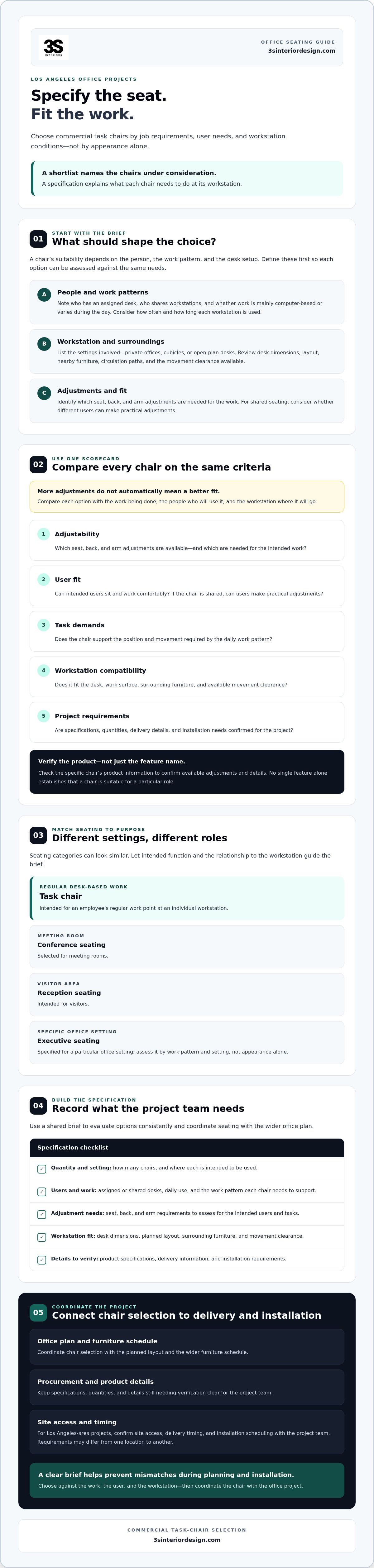
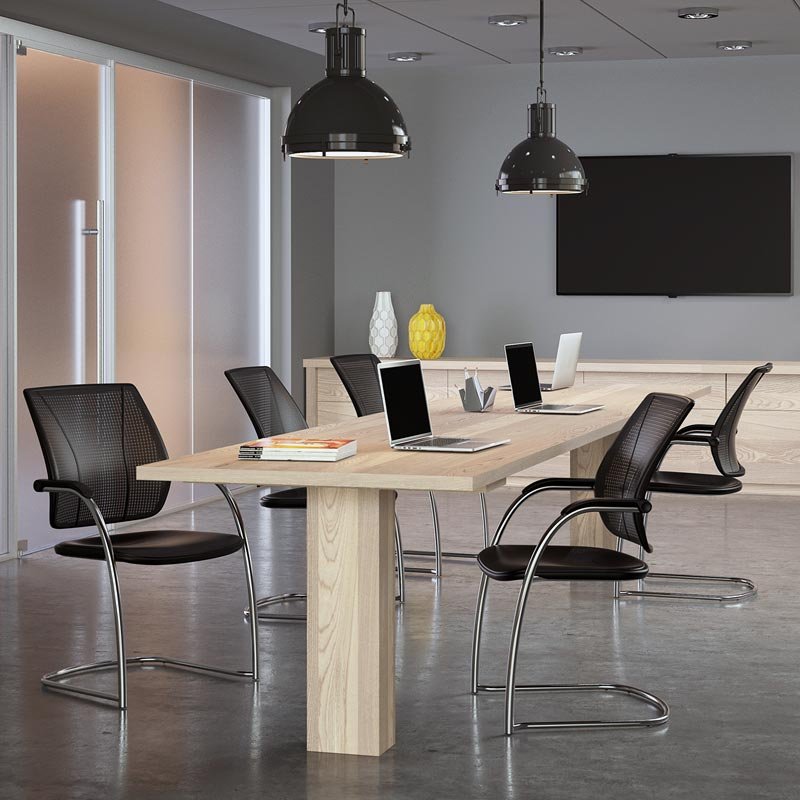
Task seating is intended for an employee’s regular work point. It serves a different purpose from conference seating selected for meeting rooms, reception seating intended for visitors, or executive seating specified for a particular office setting. These categories can look similar, so use intended function and the relationship to the workstation to guide the brief. For broader background on office-chair types and development, see this overview of modern office chairs.
No single feature establishes that a chair is ergonomic or suitable for a particular role. Record the fit and adjustment needs to assess, then verify each option’s details in its product information. A feature name is not a substitute for checking how the chair works for the user and at the work point.
Which workplace conditions should shape the brief?
Start with the people and work patterns the seating needs to support. Note which groups have assigned desks, which share workstations, and whether work is primarily computer-based or varies during the day. Then list the workstation types involved, such as private offices, cubicles, and open-plan desks.
Review existing desk dimensions and the planned layout before selecting chairs. A chair’s footprint and movement can affect clearance around desks, circulation paths, and adjacent furniture. For Los Angeles-area projects, confirm site access, delivery timing, and installation scheduling with the project team. Requirements may differ from one location to another.
Include these details with the intended quantity and setting. A clear specification gives the project team a consistent basis for evaluating task chairs and coordinating seating with the wider office plan.
How to evaluate commercial task chairs for Southern California workspaces
Start the comparison with workplace requirements, not a feature count. More adjustments do not automatically make a chair the right fit. Compare each option with the work being done, the people who will use it, and the workstation where it will go.
Use the same scorecard for every option. This makes it easier to spot missing information and ask sellers for comparable product details before making a decision.
Which adjustment features should buyers assess?
Check whether the seat height can be adjusted to suit the user and workstation. Assess back support, arm options, and seat movement in relation to the work, rather than assuming every user needs the same configuration. For example, compare armrest position with desk clearance and the user’s working position. Features vary by product, so confirm what the specific chair offers in its documentation. Cornell University's ergonomics research can provide additional context when reviewing workspace fit and ergonomic considerations.
How should buyers compare fit, durability, and support claims?
Request verified specifications for the exact chair under consideration. Check claims about durability, performance, materials, or support against documentation from the seller or manufacturer. Don’t assume a particular material, mechanism, or standard is universally best. Its relevance depends on the intended users and work setting. Where possible, assess fit at a comparable workstation and record any limitations before finalizing the selection.
For a Southern California office project, include the wider furniture plan in the comparison. If seating needs to align with workstation selection or layout design, commercial office furniture planning can help connect chair specifications with the rest of the project.
Task chairs versus executive chairs: choosing by work pattern and setting
Choose seating for the work it needs to support and the space where it will be used. Task and executive chairs may both belong in a commercial office, but their labels alone don’t establish fit, comfort, or suitability. Compare each option with user needs, workstation dimensions, expected use, and the project brief.
A planned office may need different seating in different areas. Workstations, private offices, conference rooms, and reception spaces serve distinct functions, so one chair type may not suit every area. Appearance can support visual consistency, but it shouldn’t replace a functional assessment.
When is task seating the more practical fit?
Task seating is generally considered for assigned workstations where employees perform regular desk-based duties. Start with the requirements in the brief, then check whether each candidate fits the user, desk, and work pattern. For shared workstations, account for differences between users and document adjustment needs rather than assuming one chair configuration will suit everyone.
Coordinate the decision with desk and workstation planning. Check chair movement and clearance against the work surface and surrounding layout before finalizing quantities. This connects seating selection to the overall office plan instead of treating chairs as a separate order.
When should buyers consider executive seating instead?
Executive seating may be appropriate for a private office or another setting with different use requirements from a standard workstation. Assess the actual duties, user needs, desk configuration, and project scope. Don’t assume an executive label means a chair is more comfortable or higher quality. Review the verified specifications and whether the chair suits the person and setting.
An office may specify task seating for operational workstations and a different category for private offices. That distinction should reflect intended use, not status or appearance alone. For a deeper discussion, look for the existing comparison article titled ergonomic task chairs versus executive chairs.
For procurement, record the intended setting and user requirements for each seating category. This gives the project team a clear basis for coordinating chair choices with workstation layouts and other office furniture.
A practical task-chair selection process for Los Angeles office projects
A structured selection process turns workplace needs into a specification the project team can review, procure, and install. Keep facilities, human resources, procurement, and other relevant decision-makers aligned as requirements move from assessment to approval.
Map users and tasks. Identify user groups, work patterns, assigned or shared seating, and anticipated quantities.
Review workstations. Inventory desk locations, existing furniture, and floor-plan conditions. Check chair dimensions and movement clearance against the work surface and surrounding layout.
Set evaluation criteria. Define adjustment needs, intended setting, user-fit considerations, and workstation compatibility before requesting options.
Verify each option. Review current product specifications and confirm any feature, material, or performance claim against product documentation.
Coordinate delivery and installation. Confirm responsibilities, site access, scheduling requirements, and how seating fits into the furniture schedule before approval.
How should a buyer assess the office before requesting options?
Begin with an inventory by location: user groups, workstation positions, existing furniture, and planned seating needs. Compare each chair’s expected footprint and movement with the desk and floor plan. For projects involving multiple offices or sites, document requirements for each location separately. Access conditions, delivery coordination, and installation planning may vary, so confirm them with the project team rather than assuming the same arrangements apply everywhere.
What should a commercial task-chair specification include?
Keep the specification concise and useful to procurement and installation teams. Record:
Quantity and intended users or user groups
Work setting and workstation type
Adjustment needs to be evaluated
Relevant desk dimensions, layout, and clearance requirements
Confirmed product details, including features and materials
Procurement, delivery, and installation responsibilities
Before approving the furniture schedule, compare the specification with current product information and resolve unverified claims. Confirm who is responsible for procurement, delivery, and installation, along with site access and scheduling details. This keeps seating aligned with the office plan and makes responsibilities clearer as the project moves forward.
For support connecting seating requirements with commercial furniture planning and installation, Discuss your commercial seating requirements.
Coordinating task-chair procurement, delivery, and installation in Southern California
Chair selection is one part of a commercial furniture project. Coordinating product details with quantities, the office plan, and the furniture schedule gives the project team a shared reference from selection through installation. It also clarifies how seating relates to workstations, desks, and other furniture specified for the space.
3S Interior Design’s project support can include consultation, space planning, product selection, procurement, delivery, and professional installation. For a broader overview of turnkey workspace solutions in Los Angeles, consult the relevant service guide when its link is available.
How does seating coordination reduce project handoffs?
A shared project plan connects seating decisions with the rest of the workspace. It can list selected specifications and quantities alongside workstation locations, layout requirements, and other furniture needs. The team can then refer to the same information when reviewing procurement, delivery, and installation responsibilities.
For example, chair quantities should correspond with the workstation plan, and specifications should match the intended setting. Coordinating these details helps stakeholders work from the same approved information. It does not guarantee a particular cost or schedule outcome, but it makes scope and responsibilities easier to review.
What should Los Angeles-area buyers confirm before moving forward?
Before approving the furniture schedule, confirm the project scope, selected product specifications, quantities, and responsibilities for procurement and delivery. Review installation expectations with the project team. Check the site plan and access requirements before scheduling delivery, and verify current service coverage and project requirements for the specific location.
For projects involving more than one site, confirm these details separately for each location. Access conditions, layout, and delivery responsibilities may vary. Keep confirmed information with the project plan so the team can coordinate seating with the wider office installation.
Businesses planning commercial seating in Southern California can Coordinate your office furniture project with 3S Interior Design.
Move from chair selection to a coordinated office plan
Effective seating decisions start with work requirements, not appearance or a feature count. Define who will use each chair, what tasks they’ll perform, and how the seating needs to fit the workstation. Then verify specifications and coordinate quantities, delivery, and installation with the wider furniture schedule.
This framework helps Los Angeles-area businesses evaluate task chairs as part of a complete workspace project. 3S Interior Design supplies commercial office furniture and ergonomic seating, with turnkey project support that can include consultation, space planning, procurement, delivery, and professional installation.
Ready to align seating with your office requirements?Discuss your commercial seating requirements with 3S Interior Design and take the next step toward a coordinated workspace plan.
With clear specifications and responsibilities in place, your team can make more informed choices and coordinate the next stages of the project.
Frequently Asked Questions
What is a task chair used for in an office?
A task chair supports an employee’s regular work at an individual desk or workstation. Its suitability depends on the user, work pattern, workstation dimensions, and expected use, not just its appearance or label. Seating for a dedicated computer workstation, for example, may have different requirements from a reception visitor chair or a conference room chair. Define the intended role before comparing options.
Which features should I look for in a commercial task chair?
Assess features against the work and users rather than choosing the longest feature list. Consider whether seat height, back support, arm options, and seat movement meet the requirements in your brief and suit the workstation layout. Features vary by chair, so verify details in current product specifications. Where possible, evaluate fit with representative users and the actual or a comparable desk setup before approval.
Are task chairs and ergonomic office chairs the same thing?
Not necessarily. “Task chair” describes a chair’s role at a workstation, while “ergonomic” describes considerations related to how the chair fits and supports the user in their work setting. A task chair isn’t automatically ergonomic or suitable for every employee because of its category. Check the available adjustments and specifications, then assess fit against user needs, work patterns, and workstation conditions.
How do I choose task chairs for different employees?
Group employees by work patterns, workstation types, and whether seating is assigned or shared. Document differences in adjustment and fit needs, then verify that each shortlisted chair can address those requirements. For shared workstations, consider how different users will make adjustments. Don’t assume one chair configuration suits everyone. Match specifications to the people and tasks involved.
Can task chairs be coordinated with existing desks and workstations?
Yes. Compare chair dimensions and movement with desk height, workstation layout, nearby furniture, and available clearance. Check whether the chair can move into position without interfering with the work surface or circulation space. Include existing furniture in the review instead of assessing the chair in isolation. If desks or workstations are also changing, align seating decisions with the updated floor plan.
What should a business include in a task-chair purchasing brief?
Include quantities, intended users, work settings, workstation types, adjustment needs, and relevant desk or layout details. Record which specifications are confirmed and which product claims still need verification. Also identify who will approve selections and confirm procurement, delivery, site access, and installation responsibilities. A clear brief gives stakeholders a consistent basis for comparing options and coordinating seating with the office furniture schedule.
Should a business buy task chairs as part of a wider office furniture project?
Coordinating chairs with a wider project can help align specifications, quantities, layout, procurement, delivery, and installation. 3S Interior Design supplies commercial office furniture and ergonomic seating, with project support that can include consultation and space planning through procurement and professional installation. For projects in Los Angeles, Santa Monica, Encino, Burbank, Beverly Hills, Century City, Culver City, Brentwood, Compton, Long Beach, Carson, Thousand Oaks, Westlake Village, Pomona, Irvine, Valencia, or Sherman Oaks, confirm current service coverage and site requirements.


Comments