


Modular Office Workstations in Pasadena: A Commercial Planning Guide
Will the workstation layout that fits your headcount today make collaboration harder or leave too little room to adapt tomorrow? Choosing modular office workstations Pasadena businesses can use effectively involves more than selecting desks and partitions. The configuration needs to support how your team works while making practical use of the available floor space.
A useful layout meets current needs without making future changes unnecessarily difficult. Start by considering focused work, team interaction, storage, circulation, and the ways the office may need to change. A clear plan also helps coordinate furniture selection with procurement, delivery, and installation.
This guide explains how to assess workstation configurations against team workflows and space requirements, compare product options, and plan for flexibility. It also shows how 3S Interior Design coordinates space planning, product selection, procurement, delivery, and professional installation for commercial projects, connecting each stage to a functional, well-organized result.
Table of Contents
Why Pasadena Businesses Choose Modular Office Workstations
Modular office workstations are coordinated furniture components arranged to create individual or team work areas, helping a business align daily work with the space available. A system may combine worksurfaces, partitions, and storage in a consistent layout. The planning benefit comes from treating those elements as a connected workspace rather than placing desks one at a time without considering how work areas relate.
That distinction matters when evaluating modular workstations for a Pasadena office. An individual desk is a single work surface; it does not establish a complete layout or define how nearby employees interact. A modular workstation groups components into a planned work area. An enclosed private office is a separate room with greater physical separation, while a workstation system organizes work areas within a larger office. For historical context on cubicles as one type of workstation, see the history and definition of office cubicles.
Modularity can give a business options when its needs change. A department may add employees, shift responsibilities, or need different relationships between collaborative and focused tasks. A planned system can make it easier to adjust work areas using coordinated components rather than starting a furniture plan from scratch. The practical options depend on the selected components, floor plan, and project requirements, so consider future needs when selecting the system.
The decision is operational as well as spatial. Before choosing a configuration, identify who needs to work near whom, where privacy matters, and how much floor area should support individual work versus interaction. These requirements help determine whether modular workstations fit the workplace instead of assuming one arrangement will suit every department.
Which Pasadena office situations benefit from modular workstations?
Modular workstations can suit growing teams that need additional planned work areas, departments reorganizing around new responsibilities, and shared commercial offices where people use the space for different tasks. A team doing concentrated individual work may need more separation than a group that regularly coordinates at nearby stations. The layout should reflect these work patterns alongside privacy needs and available floor area.
Start with the actual team and office rather than a generic layout example. Identify which roles need proximity, where conversations are routine, and which tasks require fewer interruptions. This turns the workstation decision into a practical assessment of business function, not simply a count of desks.
What does modular mean in a commercial workstation layout?
In a commercial layout, modular means coordinated components, such as worksurfaces, partitions, and storage, are arranged to form defined work areas. Benching generally emphasizes shared, connected work surfaces, while a modular workstation plan can use partitions and other components to create more distinct stations. Fully enclosed cubicles create a more bounded work area. The right configuration depends on the project requirements, not a universal standard.
Consider the components together. A partition affects how a station relates to neighboring work areas; storage influences where supplies are kept; and the worksurface supports the tasks assigned to that position. Planning these relationships helps a business assess how well the system supports its workflow and how the layout may adapt as needs evolve.
How Modular Workstation Configurations Support Different Workflows
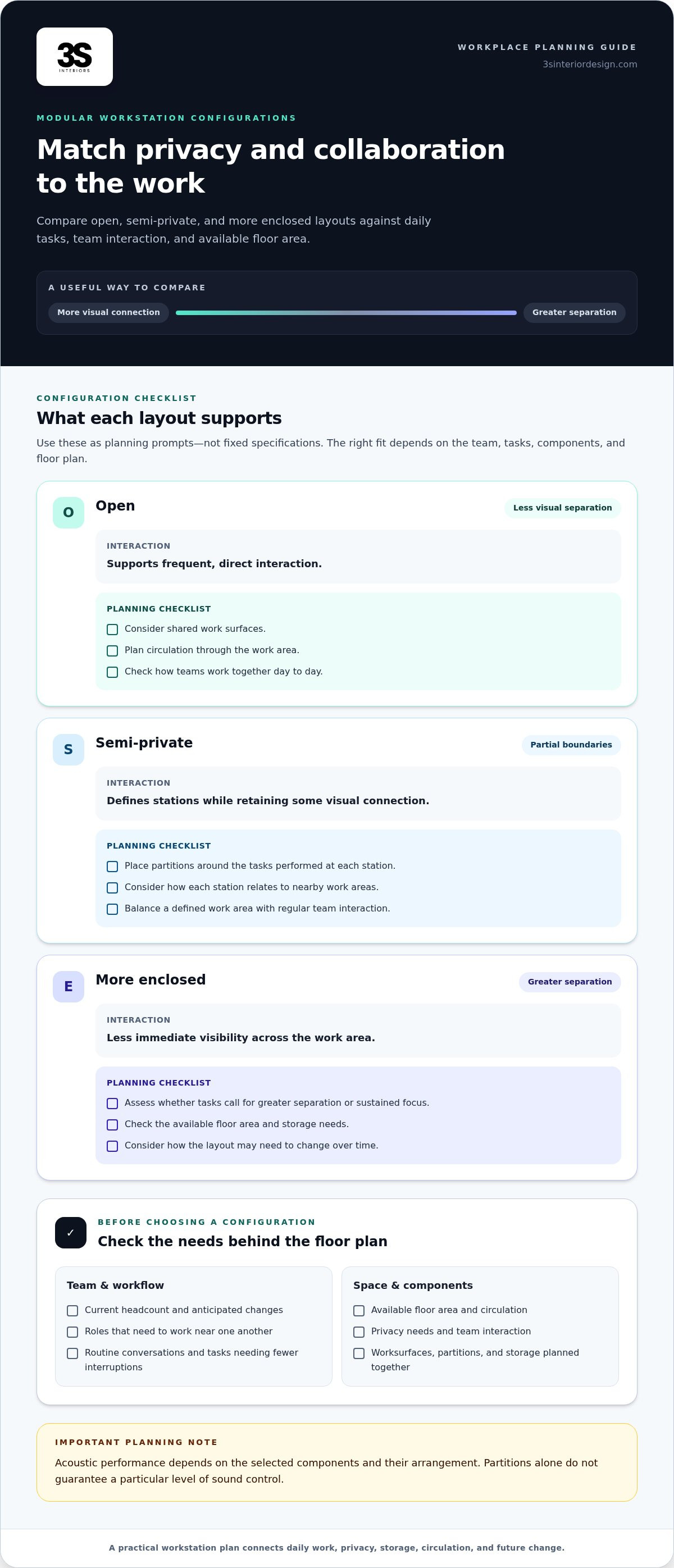
A workstation layout should reflect what employees do during a typical workday, not just how many seats fit on a floor plan. Teams that coordinate frequently may benefit from open sightlines and shared work areas. Roles requiring sustained concentration may need more separation. For a Pasadena commercial office, compare configurations against actual work activities to balance interaction, privacy, and the ability to adjust the layout as needs change.
The comparison below is a starting point, not a fixed specification. Acoustic performance and available features depend on the selected components and how they are arranged; partitions alone do not guarantee a particular level of sound control.
Open, semi-private, and enclosed configurations
Open arrangements can suit teams whose daily work involves quick questions, shared tasks, and frequent coordination. Partial partitions define individual stations while preserving some visual connection, which can work for employees who need a defined work area but still interact regularly. More enclosed arrangements may suit tasks that call for greater separation or sustained focus. These are planning choices, not guarantees of quiet: acoustic results depend on the selected components and surrounding space.
Match workstation components to daily tasks
Start with the work performed at each station. A position used for a monitor, documents, and regular collaboration may need a different worksurface arrangement from one supporting multiple devices or materials. Map those needs before settling on the layout. Storage affects where supplies sit and how employees move through their work area, so include it as a planning input rather than assuming it comes with every configuration.
Plan cable routing alongside equipment placement. Identify where devices will be used and how cables can be managed within the proposed arrangement; do not assume a particular workstation includes integrated power or cable-management features. Consider privacy and sound management in the same way. Determine where visual separation matters and where conversations could interrupt nearby tasks, then select and position components to address those priorities without promising a specific noise reduction.
For modular office workstations Pasadena projects, account for current work patterns and likely layout adjustments. 3S Interior Design connects workstation selection with commercial space planning and layout design, aligning the configuration with the project requirements.
How to Evaluate Modular Office Workstations for a Pasadena Office
Use a consistent evaluation sequence before comparing specific systems. For modular office workstations Pasadena projects, let the floor plan and team requirements guide product selection, not the other way around. This connects the number and type of work areas to the realities of the office, including fixed building features, circulation, and project scope.
Evaluate headcount, team adjacencies, daily tasks, privacy, storage, floor-plan dimensions, future changes, product fit, budget, and delivery access before finalizing a workstation plan.
Start with team requirements and the Pasadena floor plan
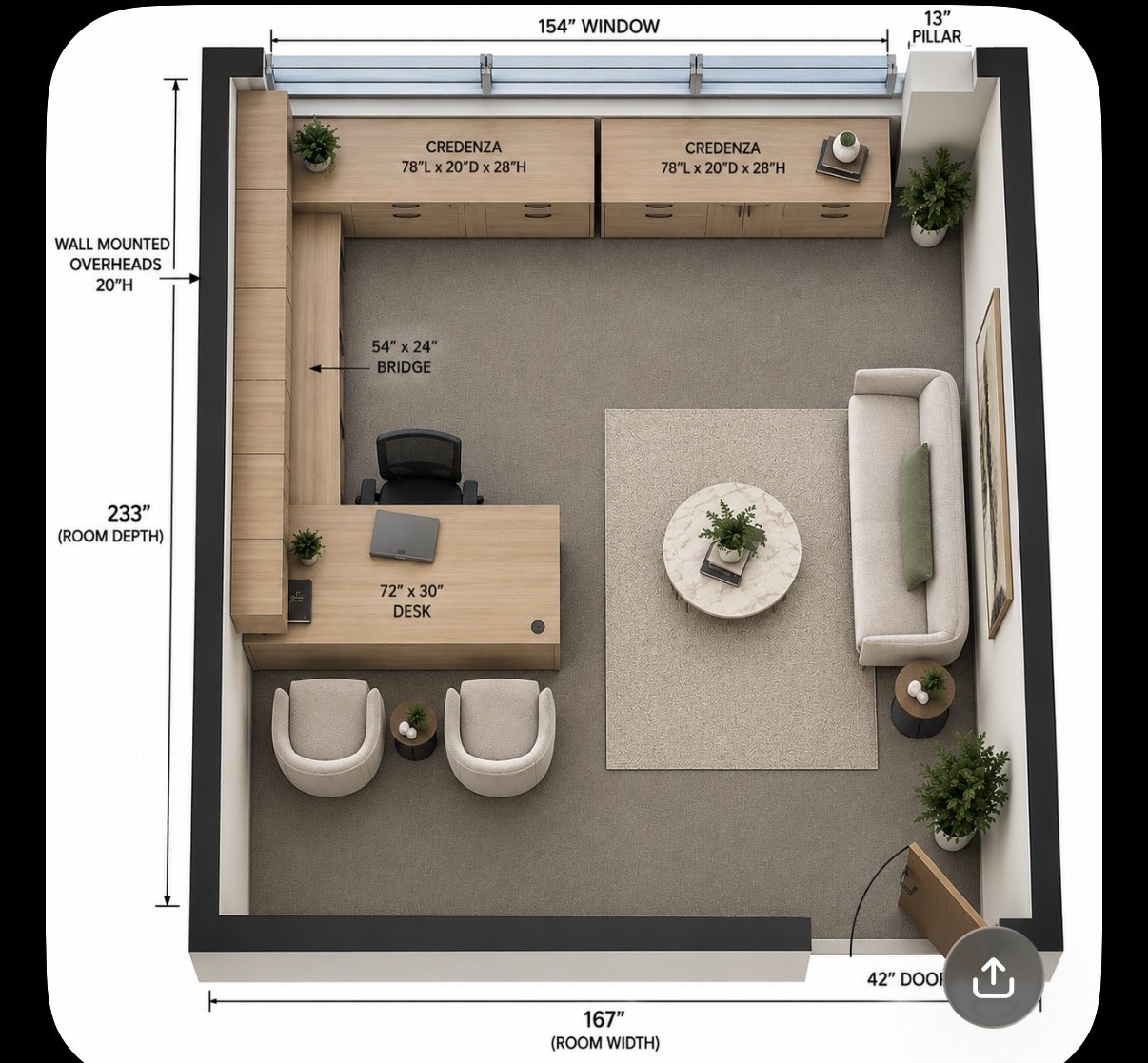
Build the evaluation around two working documents: a team-needs summary and an accurate floor plan. Note current headcount, shared functions, groups that need to work near each other, and roles that need focused work. On the plan, record measured dimensions, doors, windows, circulation paths, and fixed building elements. This gives the layout process a reliable basis without assuming every office has the same constraints.
Set the current workplace baseline. Record how many people need work areas now, which positions are regularly shared, and whether headcount or team structure may change. Separate confirmed requirements from possible future needs so the layout does not commit space or furniture to assumptions.
Map team relationships and work patterns. Identify where regular coordination happens and where employees need fewer interruptions. Note task requirements such as computer-based work, paperwork, or shared equipment. These details help define which groups belong together and where more separation may be useful.
Measure the space and mark constraints. Use verified room dimensions and show doors, windows, circulation routes, and fixed elements on the floor plan. Document access details for moving furniture into and through the space. Do not base the configuration on estimated dimensions or assume a delivery route.
Translate requirements into a layout brief. Specify the desired balance of open interaction and privacy, storage needs, and the amount of flexibility that may be useful later. A clear brief gives product selection a functional basis and lets you compare configurations against the same priorities.
Assess product and project fit. Review worksurfaces, partitions, storage, materials, and finish coordination as parts of a complete workstation plan. Consider durability and maintenance in relation to how the stations will be used. Compare options against project scope and budget without treating an isolated product choice as the full project cost.
Include delivery and installation in the evaluation. Consider access, site readiness, and how the proposed layout will be coordinated with delivery and installation. Identifying these project inputs during planning can surface practical questions early, before product selection is treated as final.
Compare durability, adaptability, and total project fit
Test each proposed configuration against present needs and plausible changes, such as a department shift or additional work areas. Check that materials and finishes suit the intended professional setting, storage supports daily use, and maintenance expectations are practical. Then weigh those factors against scope and budget. The preferred option is the one that fits workplace requirements as a coordinated project, including planning and installation, rather than one selected on a single feature.
Plan Delivery and Installation for a Pasadena Workstation Project
A workstation project moves through connected stages: consultation, space planning, product selection, procurement, delivery, and installation. Decisions made early affect what follows. The approved layout, for example, needs to align with selected components, while access and site-readiness details inform delivery and installation planning. Treating these steps as one coordinated process helps identify handoff questions before furniture arrives.
For modular office workstations Pasadena projects, early coordination matters because a workable plan depends on both the furniture and office conditions. Record site constraints and operational requirements as the plan develops, then carry that information into procurement and scheduling.
Coordinate the project before furniture arrives
Confirm that the space plan, workstation selection, and procurement details refer to the same approved configuration. Layout changes can affect quantities, component selection, and installation sequence. Keep a shared record of decisions, access notes, and operational constraints so everyone coordinating a stage works from consistent information.
Align delivery planning with the installation approach and the office’s operating needs. If employees or other activities will use parts of the space during the project, document those constraints early. An overview of turnkey workspace coordination explains how planning and execution connect across a commercial furniture project.
Prepare the office for workstation installation
Before installation, review the site with the layout in hand. Confirm dimensions, access routes, staging arrangements, power and data locations, and operational constraints with the appropriate facilities or building contacts. These details help the installation plan reflect actual site conditions. Use this office furniture installation checklist to organize the preparation:
Measurements: Make sure the floor plan reflects current room dimensions and the approved workstation arrangement.
Access: Document the route furniture will take through the office and note any access limitations.
Staging: Identify a designated area for furniture and components before installation begins.
Power and data: Mark outlet and connection locations as inputs to workstation placement and equipment setup.
Operations: Record work activities, shared spaces, or other site conditions that may affect installation sequencing.
A preparation list does not replace project coordination, but it gives the team a practical way to surface missing information. Plan the space, align product decisions, document site conditions, and coordinate delivery with installation.
3S Interior Design coordinates commercial workspace projects from planning through delivery and professional installation. Plan your workstation project with 3S Interior Design to connect layout and furniture decisions with delivery and installation.
How 3S Interior Design Coordinates Modular Workstations in Pasadena
Planning a commercial workstation project involves more than choosing desks and partitions. 3S Interior Design works with Southern California businesses to connect workplace requirements with space planning, product selection, procurement, delivery, and professional installation. For businesses planning Pasadena-area workspaces, this coordinated approach links layout and furniture decisions with the steps needed to deliver and install the selected workstations.
The process starts with the project requirements: how the office will be used, what the floor plan can accommodate, and what the business needs from its work areas. These inputs shape the workstation plan and guide product selection. The scope may focus on a defined workstation area or include related commercial furniture, depending on the project.
From space planning to product selection
Consultation and space planning connect floor-plan requirements with team needs before workstation options are selected. This creates a practical basis for comparing workstations and cubicles against the intended layout, rather than selecting furniture separately from its use in the office. A commercial workstation and cubicle procurement guide can help decision-makers consider the broader purchasing framework alongside their project-specific plan.
When the scope calls for it, the plan can account for related furniture needs so workstations function as part of the wider office environment. Product selection can be tailored to project requirements, workplace function, professional style, and budget. This keeps furniture decisions grounded in what the business needs from the space.
A coordinated route from procurement to installation
Once the layout and selection are established, procurement, delivery, and professional installation become connected project stages. Clear handoffs carry approved decisions forward: procurement follows the selected plan, delivery is coordinated with project needs, and installation puts the workstation layout into place. Addressing these stages together supports projects with different scopes, from a focused workstation area to a broader commercial workspace plan.
This coordination gives decision-makers a clear process to follow. Consultation informs space planning; the plan guides product selection; procurement follows the selected requirements; and delivery and installation complete the sequence. Each stage depends on earlier decisions, so a consistent project plan helps reduce gaps between the intended layout and its implementation.
Planning a commercial workstation project in Pasadena? Discuss your workspace requirements with 3S Interior Design to connect the floor plan, workstation selection, and project delivery. Discuss your Pasadena-area workstation project.
Set Your Pasadena Workstation Project in Motion
Turn general goals into a clear project brief. Before making final decisions, identify which workplace needs are fixed, which may change, and what the layout must support from day one. A current floor plan and a short list of operational priorities give the planning conversation a practical starting point.
This preparation keeps decisions focused on how the office needs to function, rather than on selecting furniture in isolation. For businesses evaluating modular office workstations Pasadena, a well-defined brief clarifies where flexibility matters and which requirements should guide the project.
3S Interior Design supports commercial workspace projects across Southern California, coordinating consultation and space planning with product selection, procurement, delivery, and professional installation. Share your Pasadena-area requirements to begin shaping a workstation plan around your team and space.
Discuss your Pasadena-area workstation project with 3S Interior Design. A clear starting point can move your office toward a layout prepared for the work ahead.
Frequently Asked Questions
What are modular office workstations?
A modular office workstation is a coordinated set of furniture components arranged to provide defined employee work areas. Rather than treating each desk as a separate purchase, a business plans how stations relate and which components support each role. For example, a team may use a consistent workstation arrangement while varying storage or partition placement to reflect different tasks. The specific configuration depends on the office plan and project requirements.
Are modular workstations suitable for a small Pasadena office?
Yes, modular workstations can suit a small Pasadena office if the arrangement fits its usable floor area and work patterns. Start by identifying which positions need dedicated surfaces, which functions can share resources, and where employees need clear movement through the office. A measured plan helps compare station layouts without assuming a smaller workplace needs the same configuration as a larger one.
Can modular office workstations be reconfigured when a team grows?
They may be reconfigured, but the options depend on the system’s components, how the original layout was planned, and what the expanded team requires. Before selecting a system, consider whether growth might mean adding stations, changing team groupings, or adjusting storage. Keep records of the selected components and layout to guide future planning. Changes may require additional components or installation work.
How do I choose between open and enclosed modular workstations?
Choose based on the work employees perform and the separation they need. Open arrangements can work for teams that coordinate throughout the day, while more enclosed stations may suit roles that need clearer boundaries for focused tasks. Consider how often employees interact, whether conversations are routine, and how much floor space the configuration uses. Partitions can shape separation, but acoustic results depend on the selected components and setting.
How much do modular office workstations cost?
Project cost depends on the configuration, number of stations, selected components, storage needs, materials, and project scope. Delivery and professional installation are also part of the overall planning conversation. Define the layout, functional priorities, and budget range to give product selection a clear basis without relying on a generic price estimate.
What should be ready before workstation delivery and installation?
Have an approved layout, current site measurements, a clear furniture access route, and an agreed staging area ready for coordination. Identify power and data locations, note building or facilities procedures, and decide who will manage site communication. Employees should know which areas will be affected and clear personal or sensitive materials from work surfaces. These details help the installation team work from current information.
Does a modular workstation project include space planning and installation?
Yes. 3S Interior Design provides commercial space planning and furniture installation, and coordinates them with consultation, product selection, procurement, and delivery. Businesses can align the workstation plan with project scope and budget instead of managing each stage in isolation. For organizations planning offices in Los Angeles, Santa Monica, Encino, Burbank, Beverly Hills, Century City, Culver City, Brentwood, Compton, Long Beach, Carson, Thousand Oaks, Westlake Village, Pomona, Irvine, Valencia, or Sherman Oaks, a consistent planning process supports clearer project handoffs.
Comments